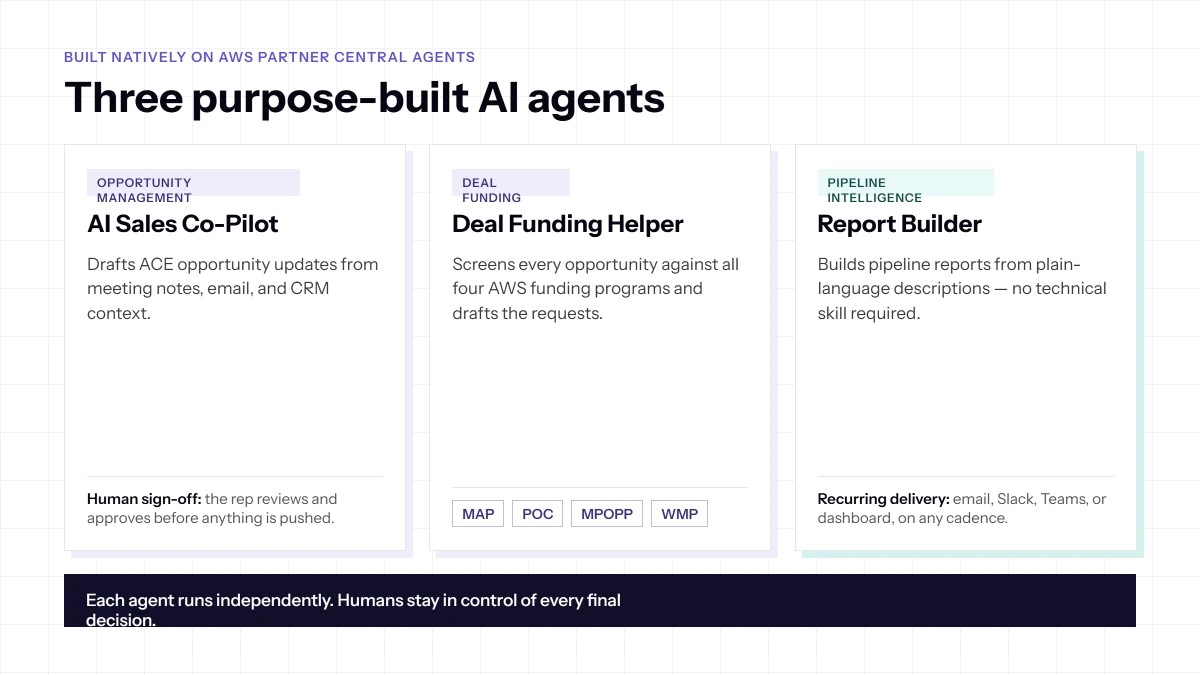
From pipeline data to strategic decisions, without the analyst overhead
Problem: Partner leadership needs pipeline visibility on a regular cadence. But producing reports means manually pulling data from the co-sell system, formatting it, and distributing it, a task that falls to whoever has the least capacity at the time. By the time the report lands, it often reflects last week's reality. By the time it's acted on, the window has passed. And when reporting needs evolve, a new programme launches, a team restructures, a QBR requires a different view, there's no self-serve path. It either gets custom-built or goes unbuilt.
Solution: The Report Builder Agent makes pipeline intelligence self-service. Here's the step-by-step workflow:
- Define: The user describes the report they need in plain English, no technical knowledge, no SQL, no analyst required.
- Configure: The agent identifies the relevant data sources and pipeline insights, and maps them to the report structure.
- Preview: A draft report is generated and surfaced to the user for review, editing, or approval.
- Schedule: The user sets the delivery cadence (daily, weekly, monthly) and destination (email, Slack, Microsoft Teams, or dashboard).
- Deliver: The agent handles all recurring delivery automatically from that point forward. If reporting needs change, the user simply describes the new version, the agent rebuilds it.
Reports can cover co-sell performance, funding utilisation, specialisation progress, pipeline health by segment, or any other dimension relevant to how the partnership is managed. Quarterly board prep, weekly pipeline reviews, and co-sell performance summaries all follow the same workflow: describe once, receive automatically.
Impact: The compounding value is significant.
- Leadership always has current, accurate pipeline intelligence without consuming analyst or operations resources to produce it.
- Reporting evolves with the business: no custom development backlog, no manual exports, no waiting.
- Every team member who needs pipeline intelligence gets it, in the format that serves their decisions not a one-size-fits-all export designed for someone else's needs.
- Decision latency drops. The gap between when something happens in the pipeline and when it influences a strategic decision shrinks to near-zero.
Build the pipeline reports you actually need, in plain English, delivered on your schedule, to your inbox, Slack channel, or dashboard. No analyst required, no backlog, no manual export.
In Practice: A VP of Alliances needs a weekly co-sell report, it has been on the backlog for six months
Rachel runs alliances at a DevOps ISV. Every Monday review starts with a half-built spreadsheet her analyst pulled together Sunday night. She has asked RevOps three times for a standing report: co-sell pipeline by AWS specialisation, stage, and velocity, delivered before the meeting. Every time: backlog.
1. Rachel opens SaaSify: She types her request in plain English: 'Weekly co-sell pipeline summary, segmented by AWS specialisation, showing stage, days in stage, and expected close, delivered to our alliances Slack channel every Monday at 7am.'
2. Agent configures the report: Using the AWS Pipeline Insights MCP capability, the Report Builder identifies the relevant Partner Central data sources, maps them to Rachel's requested structure, and generates a live preview.
3. Rachel reviews and approves: She adjusts the column order, confirms the data looks right, and approves. Delivery schedule set: every Monday at 7am to the alliances Slack channel.
4. Monday, 7:02am: Report appears in Slack before anyone is at their desk. No analyst involved. No Sunday night export. Every week, automatically.
5. Six weeks later-team restructures: Vertical pods replace specialisation areas. Rachel types one sentence to update the segmentation. Updated report runs the following Monday.
Result: A six-month backlog item closed in four minutes. The analyst reclaimed Sunday nights. Rachel walks into every Monday review with live data.